DruFlow Theme.
No code, no limits.
A modular WordPress theme built specifically for associations, clubs and federations. Build every page from ready-made sections – without writing a single line of code.
one site, one year of support
Every page is built from sections.
Instead of editing code, the administrator adds a section in the Customizer, picks its type, and fills in the fields. Reordering sections is just a drag and drop. 35 section types are available:
Custom design – without a single line of code.
In the Customizer, under “Colors and Typography,” there are 65 individual design settings across 13 categories. Every change shows up instantly in the live preview.
Header and menu (6 settings)
- Header background color
- Header text color
- Menu background color
- Menu text color
- Header bottom border – thickness in px
- Header bottom border – color
Main content (6 settings)
- Space above content (in px)
- Space below content (in px)
- Main content background color (pages only)
- Post content background color
- Post content side padding (left/right) in px
- Sidebar background color
Page background (4 settings)
- Full-page background image (optional)
- Background stays fixed while scrolling (parallax)
- Background opacity in %
- Desaturation in % (100 = black and white)
Animations (1 setting)
- Reveal animation speed
Menu – hover and dropdown (6 settings)
- Menu background (hover)
- Menu text (hover)
- Dropdown background
- Dropdown text
- Dropdown background (hover)
- Dropdown text (hover)
Menu layout (6 settings)
- Menu position relative to the logo
- Full-width menu
- Menu alignment (only when “left of logo”)
- Menu offset in px (only when “left of logo”)
- Menu style
- Sticky header on scroll
Logo (4 settings)
- Logo size (height, in px)
- Logo position in the header
- Logo offset (vertical, in px)
- Logo offset (horizontal, in px)
Images – border (2 settings)
- Featured image border color
- Featured image border width (in px)
Post title (cards) (3 settings)
- Title color
- Title color (hover)
- “Read more” button text (post cards)
Feature cards (7 settings)
- Card background color
- Icon cards – title color
- Icon cards – border color
- Card border color
- Card title color
- Card image – border color
- Card image – border width (in px)
Buttons (8 settings)
- Button background
- Button text
- Button border color
- Button border width (in px)
- Button corner radius (in px)
- Button background (hover)
- Button text (hover)
- Button border color (hover)
Footer – colors and widgets (8 settings)
- Footer background color
- Footer text color
- Footer link color
- Footer link color (hover)
- Widget title color
- Widget title size (in px)
- Widget content text size (in px)
- Widget row height (in px, optional)
Hero/slider and CTA – appearance (4 settings)
- General height of hero/slider sections (in px)
- Color/opacity of the hero/slider image overlay
- General height of CTA banners (in px)
- Color/opacity of the CTA image overlay
Built-in SMTP – no extra plugin needed.
By default, WordPress sends email through the server’s PHP “mail()” function, which is often unreliable on shared hosting (messages land in spam or never arrive at all). The theme has SMTP settings built right in – no need for a separate plugin like WP Mail SMTP.
Your own mailbox
Enter your own mailbox details (e.g. info@yourdomain.com) and all mail is sent through it from then on.
Reliable delivery
Correct SPF/DKIM alignment with your domain means less mail lands in recipients’ spam folders.
No extra plugin
The contact form, newsletter, membership-dues reminders and other email keep working unchanged – only the delivery mechanism is redirected.
From a blank page to publishing in four steps.
Open the Customizer
Appearance → Customize → Front page sections (or Page sections, for subpages).
Pick a section type
Choose from the dropdown what the section should show – only the relevant fields appear.
Fill in the content
Title, text, images or links – with a live preview alongside, before you ever publish.
Publish
One click on “Publish” and the change is live instantly.
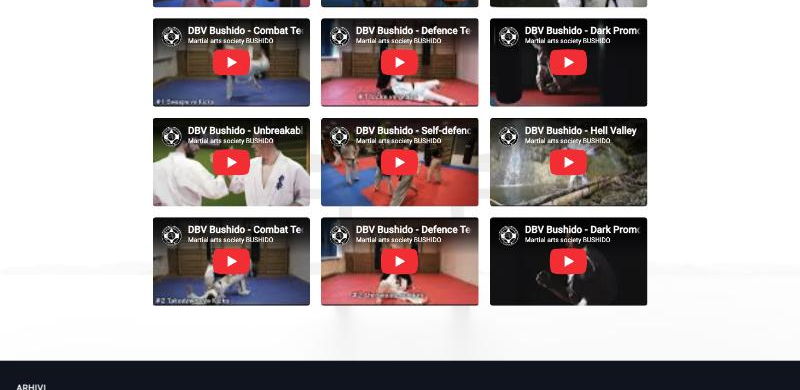
One video or a whole video gallery.
Paste the link, pick a shape.
The administrator pastes a YouTube or Instagram link, picks a recognizable shape (widescreen 16:9, square, portrait, or story/reel), and sets a width – the height is calculated automatically.
Add more than one video and the section automatically switches to a video gallery – a grid of 2, 3 or 4 videos per row, as many rows as you like. The same video can be inserted directly into the Classic Editor, just as easily as an image.
Photos that arrange themselves.
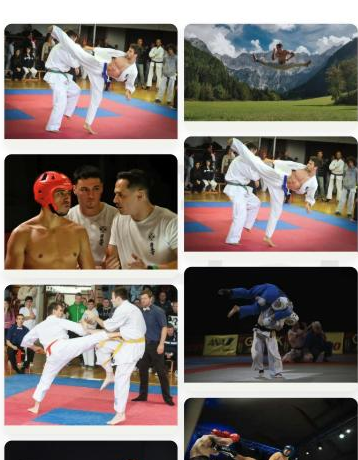
Grid or masonry layout, with a modern lightbox.
Upload photos, choose a layout – a tidy grid or a naturally arranged masonry – and the gallery adapts automatically to the screen width. Visitors open photos in a lightbox, without leaving the page.
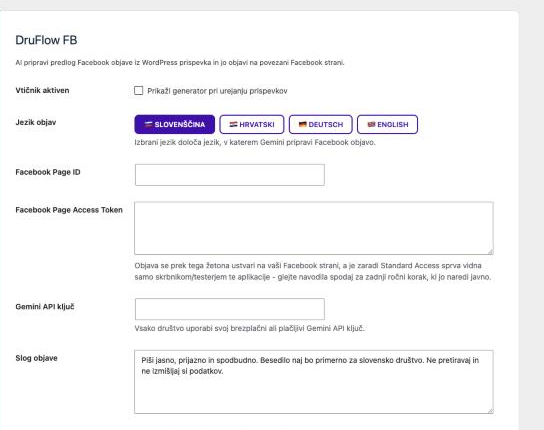
A Facebook post in one step.
A post suggestion, written automatically from your article.
When an editor publishes a news item, AI (Gemini) drafts a Facebook post from the content – in the right language, with a call to action. The editor can tweak the draft if needed and share it to the connected Facebook page with one click.
Available in Slovenian, Croatian, German and English – the post language is independent of the portal’s language.
Visibility on Google, without any SEO knowledge.
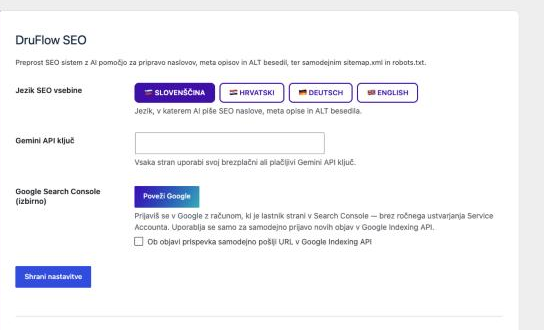
AI drafts titles, descriptions and ALT text – you just approve them.
With Gemini’s help, DruFlow SEO suggests SEO titles, meta descriptions and image ALT text, automatically maintains sitemap.xml and robots.txt, and takes care of correct Open Graph/Twitter output when a link is shared.
Backups and migrations, without the risk.
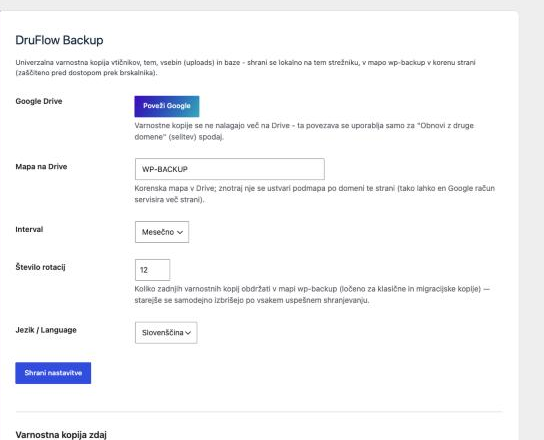
One click to back up – the whole site, not just the database.
Plugins, theme, content (images, documents) and the database are saved together, locally on the server, with an optional scheduled upload to Google Drive. A migration backup lets you move the entire site to another server or domain.
Restores run through “shadow” tables – the live site stays untouched and keeps working right up to the last moment of the restore.
Publish news from a phone, without access to the whole portal.
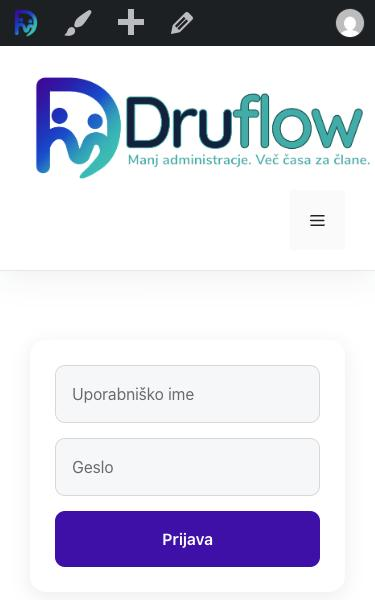
Separate access, for publishing only.
Editors who don’t need the full wp-admin (e.g. coaches, volunteers) get their own account for a simple, mobile-friendly editor – with a built-in AI assistant for drafting text. The editor page is deliberately left out of every menu – the administrator simply sends the link to each editor directly.
Build your portal on the DruFlow Theme.
The one-time price of €50 includes one site and one year of support and updates. The theme works on its own – no additional security or other plugins are required. If you also want membership management, add DruFlow and DruFlow Finance whenever you like.